
BlogProduct
What we learned by listening to our customers (and what changes in ioZen)
Two lessons from months with customers, and what this release brings: cases from your phone, Zen in beta, and FlowApps you see whole before you install them.

For months we shipped something new almost every week and barely talked about it. This post covers what we learned and what changes starting today.
ioZen is more than forms now
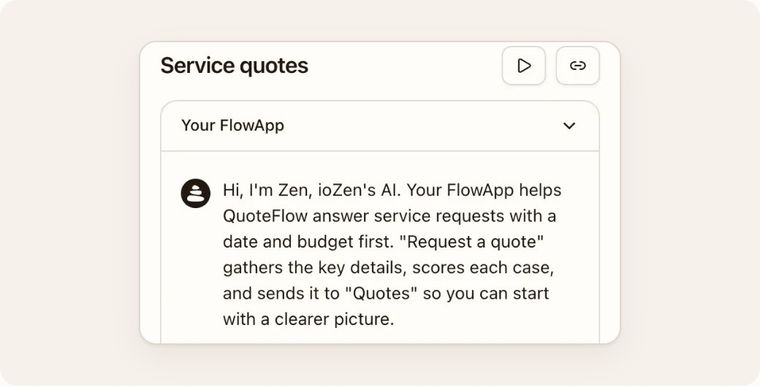
If you met us through forms, ioZen is a lot more than that now. A FlowApp today is the whole path of a case: the conversation with your customer, on your website or on WhatsApp; the case that lands on a board with its score and the reason for it; and your team working it through to the end. And starting this week, you build your FlowApp by talking to Zen, ioZen's AI.
What matters most is often what nobody asks for
We spent these months with customers, on calls and visits, watching how they actually use ioZen. One customer team never complained about ioZen. But their agents kept moving every conversation out to WhatsApp. When we asked why, the answer was simple: working their cases from a phone was awkward.
Nobody asked for it as a feature. We saw it because we asked why. That's the first thing this release changes.
A lot of what people ask for already exists
The second lesson was less comfortable: many of the questions we got were about things we had already built. We just never told anyone. So from now on, every release comes with an email, a post like this one and an up-to-date manual.
Your team works its cases from a phone
Team members who don't build FlowApps now land on "My cases": what was just assigned to them first, then each board they work on, phase by phase. "Take" makes an unassigned case theirs. As Esteban, our product owner, puts it, it used to be like handing someone an aircraft carrier to swat a fly.
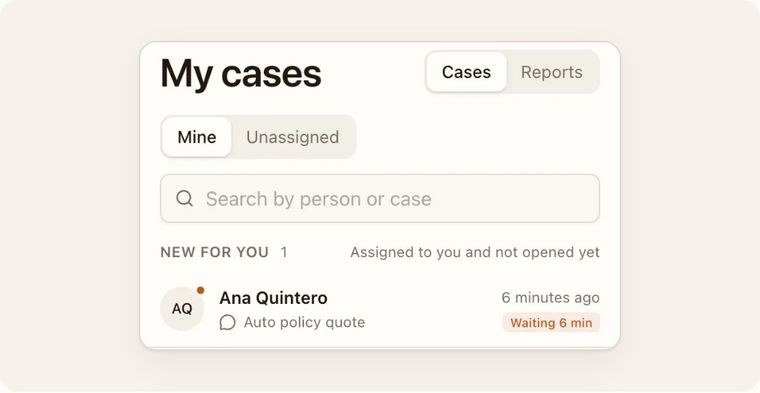
On Business, a case and its chat also go to the same person: whoever takes the case answers the conversation too.
Ask Zen for a change (beta)
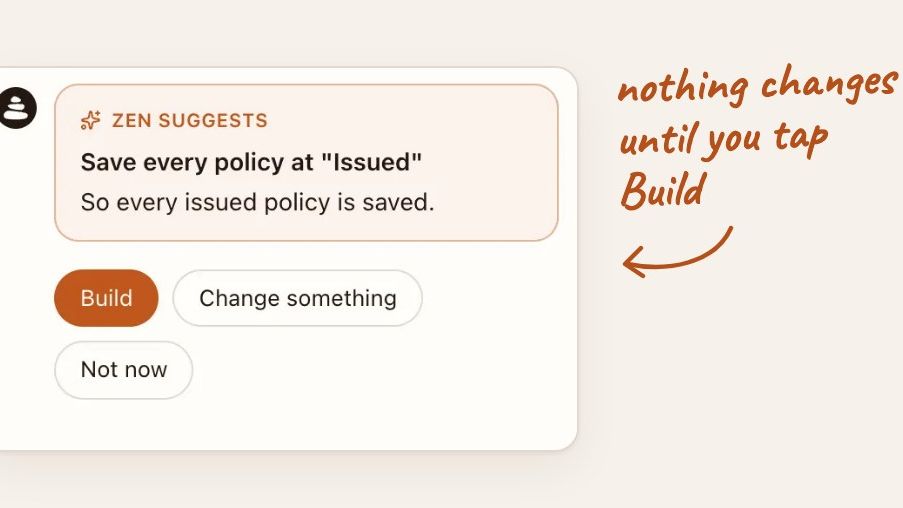
There's a new box below the conversation in your FlowApp. Zen can add an Intake Bot with its own board, add a question or rename a phase. It shows you what it would do and why, and nothing changes until you tap Build.
At first we thought the AI had to get the FlowApp perfect on the first try. It doesn't. People want to adjust it in their own words and see what will happen before it happens. So Zen proposes, and you decide.
Zen is in beta and can only do a few things so far. When it can't do something, it tells you where to do it yourself. It's the first step toward what we're after: asking for a whole FlowApp and having Zen build it.
See the whole FlowApp before you install it
Every FlowApp page on iozen.ai/flowapps now shows its Intake Bots, its boards and a sample case. If you already have an account, installing one is a click: it lands in your workspace and Zen tells you what came with it.
Also new
- When you export an Intake Bot's submissions, your calculation results come out too.
- Two-step verification with an authenticator app, optional for your account.
- The ioZen manual: 26 guides at iozen.ai/docs.
What's next
Everything Zen does runs through the same actions you use on screen. That's why, down the road, we want to open those actions over MCP, the standard AI agents like Claude or ChatGPT use, so they can work with your FlowApps too.
In the meantime, if something in ioZen feels hard, write to me at jay@iozen.ai. It might already exist and we just never told you.
"I was asking about it, and they'd already shipped it. How are you this good?"
Gary, an ioZen customer
Keep reading
All articles


Your turn
Swap a form for a conversation
Leave your website and we build your first FlowApp from it. You try it free.