
Content Blocks & Guided Intake
IntakeBots go beyond data collection with content blocks, rich embeds, CTAs, template variables, and AI-generated content between questions.
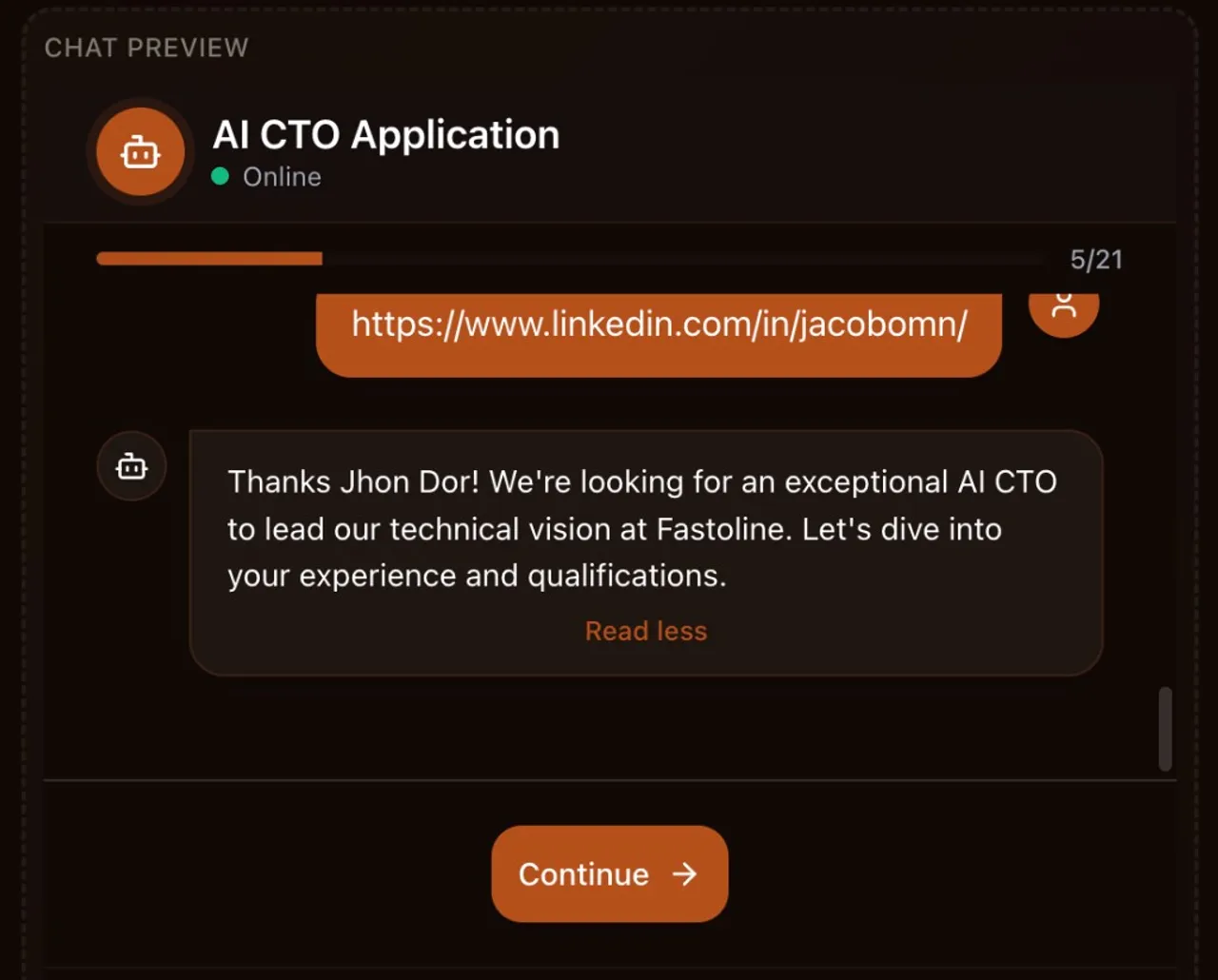
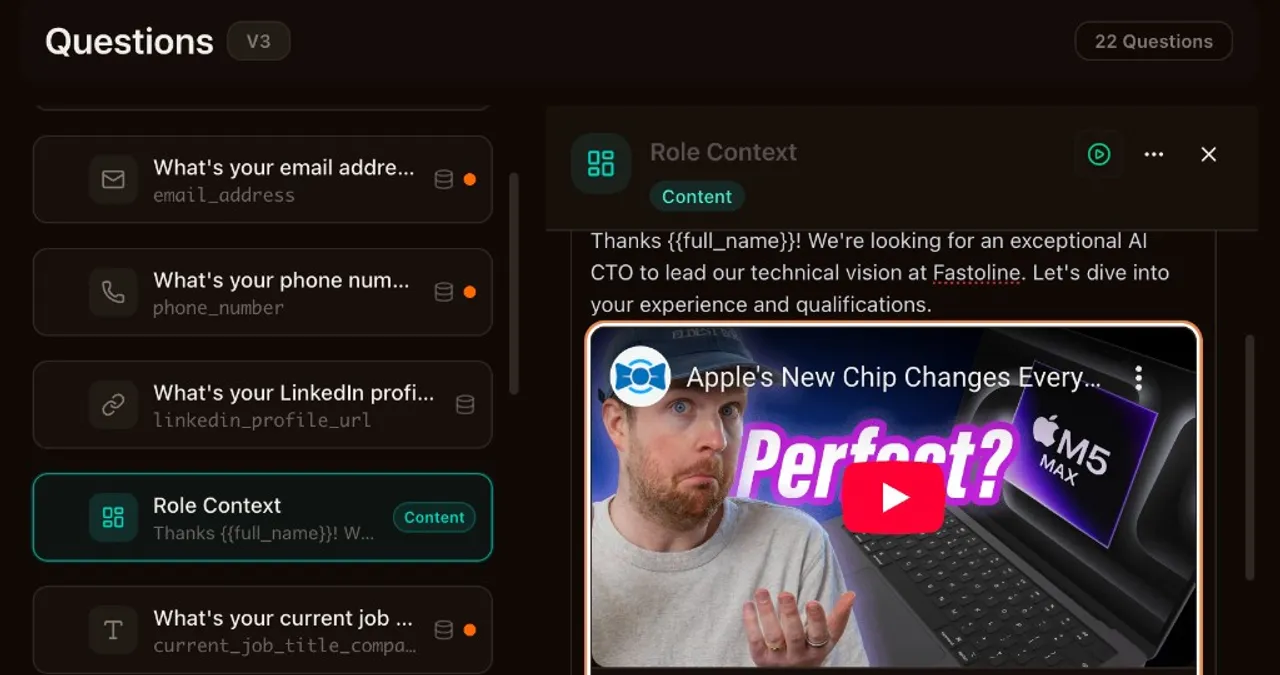
IntakeBots can do more than ask questions now. Content blocks let you insert guided text, calls to action, and personalized messages between fields. Every plan gets plain-text blocks. Pro and Business unlock the full rich editor, embeds, and AI-generated content. This takes conversational forms to a whole new level.
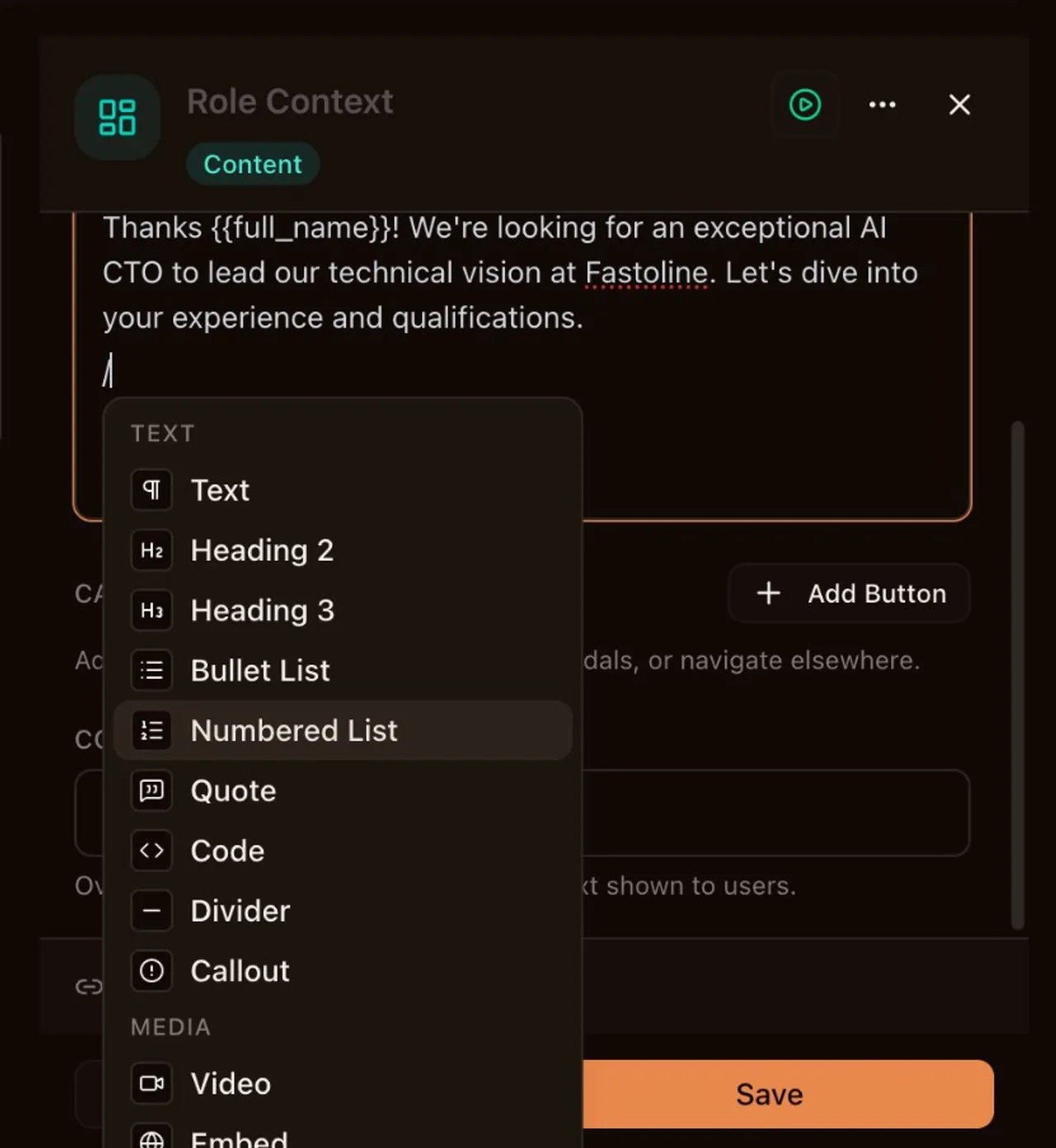
The rich editor works like Notion. Type / to open the slash menu and drop in headings, callouts, code blocks, or video embeds. You can embed YouTube, Vimeo, Loom, Cal.com, Calendly, Stripe Payment Links, and Google Maps directly inside the intake flow. Up to three CTA buttons per block can open modal overlays or link to external URLs.
Template variables make all of this personal. Use {{field_name}} anywhere in question labels, helper text, content blocks, or CTA URLs to reference what someone already answered. Arrays, AI-processed values, and all field types work. Private fields resolve to [Private] so nothing leaks.
AI content generation takes personalization further. Write a prompt, and AI generates unique content for each respondent at runtime using their previous answers as context. Good for mid-flow recommendations, summaries, or tailored next steps. Private fields stay out of AI context automatically.
We also published step-by-step integration guides for Meta Conversions API, Google Ads, LinkedIn, TikTok, and custom webhooks. Each covers credential setup, configuration, testing, and troubleshooting. Find them at app.iozen.ai/docs/integrations.
What's included in this release
Author a prompt and let AI generate personalized content for each respondent at runtime, using their previous answers as context. Ideal for mid-flow recommendations, summaries, and dynamic guidance. Private fields are excluded from AI context.
Insert non-question content between Intake Bot fields — guided text, CTAs, and personalized messages. Plain text on all plans; rich editor, embeds, and AI-generated content on Pro+. Content blocks display with a Continue button and support conditional visibility.
Step-by-step developer documentation for connecting Meta Conversions API, Google Ads Measurement Protocol, LinkedIn Conversions API, TikTok Events API, and custom webhooks. Each guide includes credential setup, configuration, and troubleshooting. Available at /docs/integrations.
Compose content blocks and CTA modals with a Notion-like slash-command editor. Embed YouTube, Vimeo, Loom, Cal.com, Calendly, Stripe Payment Links, Google Maps, and Typeform directly inside the intake flow. Up to 3 CTA buttons per block open modal overlays or external URLs.
Use {{field_name}} to personalize question labels, helper text, content block bodies, and CTA URLs with the respondent's previous answers. Supports all field types including arrays and AI-processed values. Private fields resolve to [Private].